




iPhone Charger Cable: The Complete Guide
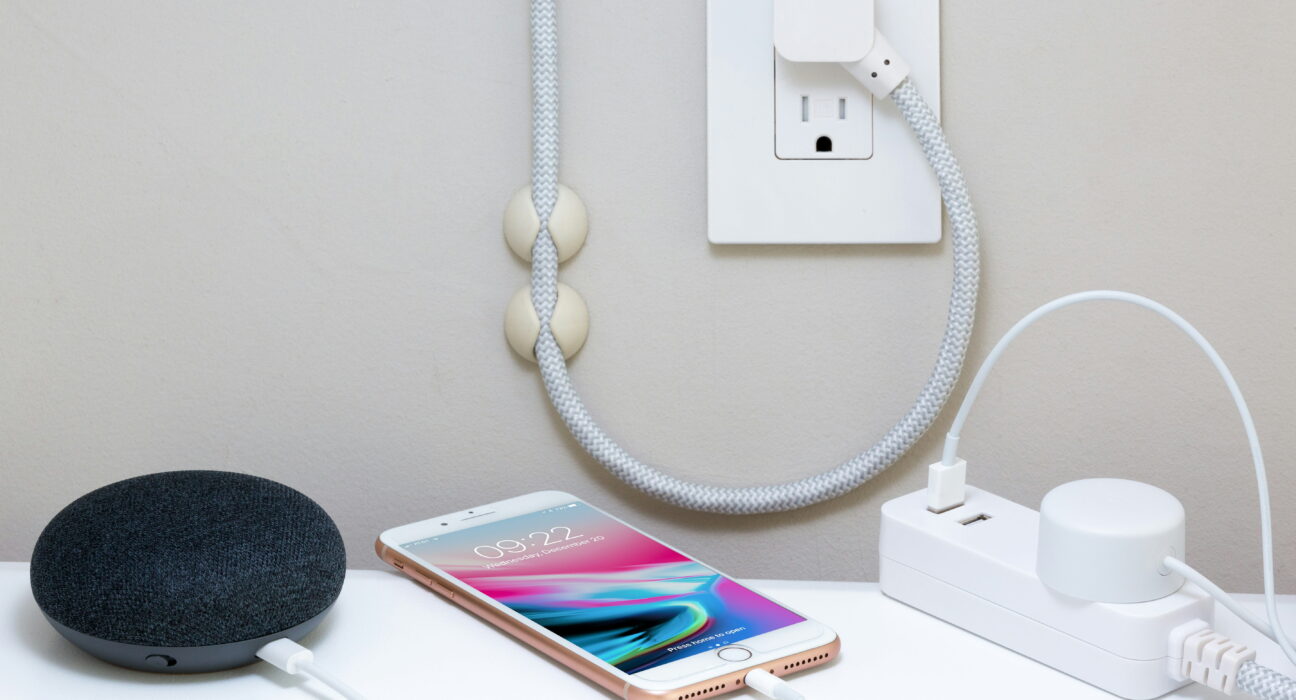
Picking the right iPhone charger cable comes down to one thing first: knowing what port your phone actually has. Newer models use USB-C, while older ones still rely on Lightning, and there’s also a magnetic option if you want an easier daily routine.
This guide breaks down every cable type, shows you how to charge safely with each one, and gives you simple tips to make your cables last longer instead of fraying within a few months.
Which iPhone Charger Cable Do You Need
The cable you need depends entirely on your phone’s model year, so check that first.
USB-C cable for newer iPhones: This cable has the same connector on both ends. It works with the iPhone 15, 16, and 17 series, including the 16e and 17e. One end plugs into your phone, the other into a USB-C power adapter or a computer’s USB-C port. Since both ends match, you can also use it to charge a laptop or tablet in a pinch.
USB-C to Lightning cable for older iPhones: This one has two different connectors, a Lightning end for the phone and a USB-C end for the adapter or computer. It’s the right choice for the iPhone 14 and any earlier model, since those all use the Lightning port instead of USB-C.
Magnetic charger cable for iPhone: Magnetic cables snap onto your phone through a small tip installed in the charging port, so there’s nothing to plug in by hand. They cost more than a standard iPhone charger cable, but they reduce wear on your port over time and make charging in the dark or in a car much easier.
Which Should You Choose
Start by checking your phone’s exact model in Settings, under General, then About. If you have an iPhone 15, 16, or 17, you need the USB-C cable. If you’re on an iPhone 14 or older, go with the USB-C to Lightning option. If convenience matters more to you than cost, a magnetic charger cable is worth the extra money. Many people keep a second or third iPhone charger cable on hand for the car, the office, or a bedside table, which saves you from hunting for one every morning.
How to Charge With a USB-C Cable
This method covers the iPhone 15, 16, and 17 series.
- Take the USB-C cable out of your iPhone’s box.
- Plug one end firmly into your iPhone’s charging port.
- Connect the other end to a USB-C power adapter.
- Plug the adapter into a working wall outlet.
- Watch for the charging icon on your screen.
- Let it charge until the battery reaches full.
- Unplug once charging is complete.
A higher-wattage adapter charges your phone faster. The iPhone 17 series supports up to 40W charging, reaching about 50 percent in 20 minutes with the right adapter, while older USB-C iPhones charge a bit slower. A computer’s USB-C port also works, just expect a slower pace than a wall adapter.
How to Charge With a Lightning Cable
This method applies to the iPhone 14 and earlier models.
- Grab your USB-C to Lightning cable from the box.
- Insert the Lightning end into your iPhone’s charging port.
- Plug the USB-C end into your power adapter.
- Plug the adapter into any wall outlet.
- Check for the charging icon on your lock screen.
- Charge until the battery is full.
- Gently pull the cable away when you’re done.
The Lightning connector only fits one direction. If it doesn’t slide in easily, flip it over rather than forcing it. Some older adapters use a standard USB port instead of USB-C, so you’d need a Lightning to USB cable for those.
How to Use a Magnetic Charging Cable
- Buy a magnetic iPhone charger cable kit from a trusted brand.
- Insert the small magnetic tip into your charging port.
- Bring the cable close to the tip on your phone.
- Let the magnets snap together to start charging.
- Pull the cable away gently when finished.
- Keep the tip clean and free of pocket lint.
The magnetic connection is strong enough to hold steady but pulls apart easily if someone trips over the cord, which protects your phone’s port from stress. Just make sure the cable you buy is rated for iPhone charging speeds, since cheaper ones can charge noticeably slower.
How to Make Any iPhone Charger Cable Last Longer
Most cables fail near the connector ends from repeated bending, not from everyday use. A few habits go a long way:
- Avoid wrapping cables tightly around your power adapter.
- Unplug by holding the connector, never the wire itself.
- Keep cables away from pets that like to chew on them.
- Store spare cables in loose coils, not tight loops.
- Replace any cable with exposed or frayed wiring right away.
Apple’s own cables hold up reasonably well but still benefit from gentle handling. Third-party quality varies a lot, so look for MFi certification on the packaging before buying a cheaper option. That certification means the cable has passed Apple’s safety and performance checks.
Final Thoughts
Choosing the right iPhone charger cable really just comes down to knowing your model and how you like to charge. USB-C covers the 15, 16, and 17 series, Lightning covers the 14 and older, and magnetic cables are there if you want the easiest possible routine. Take care of whichever cable you choose, watch for MFi certification when buying new ones, and you’ll avoid most of the common problems people run into with charging gear.
Frequently Asked Questions
Can I use any USB-C cable to charge my iPhone?
Only certified cables are recommended for safe, reliable charging. Cheap uncertified cables can charge slowly or, in rare cases, damage your battery over time. Look for MFi certification when shopping for a new one.
Why does my iPhone charger cable stop working so fast?
Most cables fail from repeated bending near the connector or from being pulled by the wire instead of the plug. Handling them gently and storing them loosely will make any cable last much longer.
Do magnetic iPhone charger cables charge as fast as regular ones?
Good quality magnetic cables charge at roughly the same speed as a standard cable. Cheaper ones often charge more slowly, so check the wattage rating before you buy.
Can I charge my iPhone with a computer’s USB port?
Yes, though it’s slower than a wall adapter. It works fine overnight when speed isn’t a priority, but use a wall adapter when you need a fast charge.
What happens if I use the wrong cable type?
It simply won’t fit. Lightning cables only work with the iPhone 14 and older, while USB-C cables only fit the iPhone 15 and newer. Always check your model before buying a replacement cable.


